
Many people still picture phishing as an email filled with spelling mistakes and suspicious links. In reality, an attack can look like routine communication from a colleague, supplier or trusted partner: a request to update bank details, a senior leader asking for urgent help, or a reply within an email conversation you already recognise.
Attackers often research organisations and employees to make their requests more convincing. They exploit trust, urgency and familiar working practices to persuade people to share sensitive information, reveal login details or authorise payments.
Business Email Compromise (BEC) is one example. Criminals impersonate trusted contacts or misuse compromised email accounts to make fraudulent requests appear legitimate. These attacks do not always involve a malicious attachment or suspicious link. Sometimes, the message itself is enough.
Here are five tactics to recognise - and the checks that can help protect your organisation.
1. The urgent request
Attackers create pressure so you act before checking. A message may appear to come from a colleague, supplier or senior leader, asking you to pay an invoice immediately and keep it confidential. Urgency and secrecy deserve extra scrutiny, particularly when they are used to bypass normal approvals.
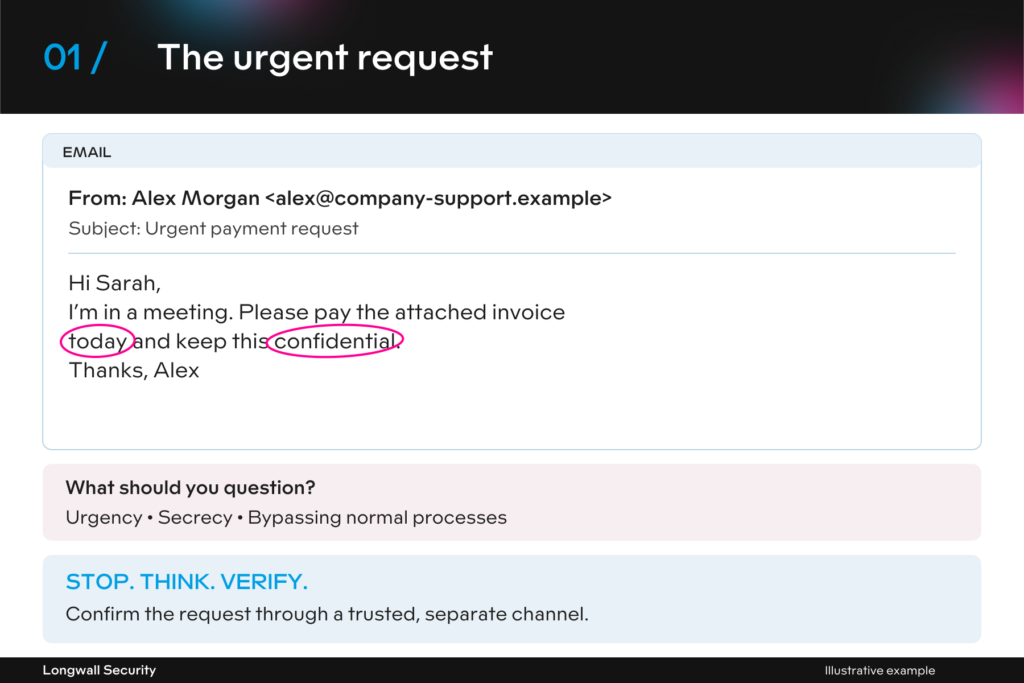
What to do: Pause and confirm the request through a separate, trusted channel. Follow your usual approval process, however urgent the message sounds.
2. The executive impersonation
A familiar name and senior job title can make a request harder to question. Criminals exploit that authority, asking for gift cards, payments or sensitive information by email or workplace chat.A display name, profile photo or online status does not prove who is behind a message.
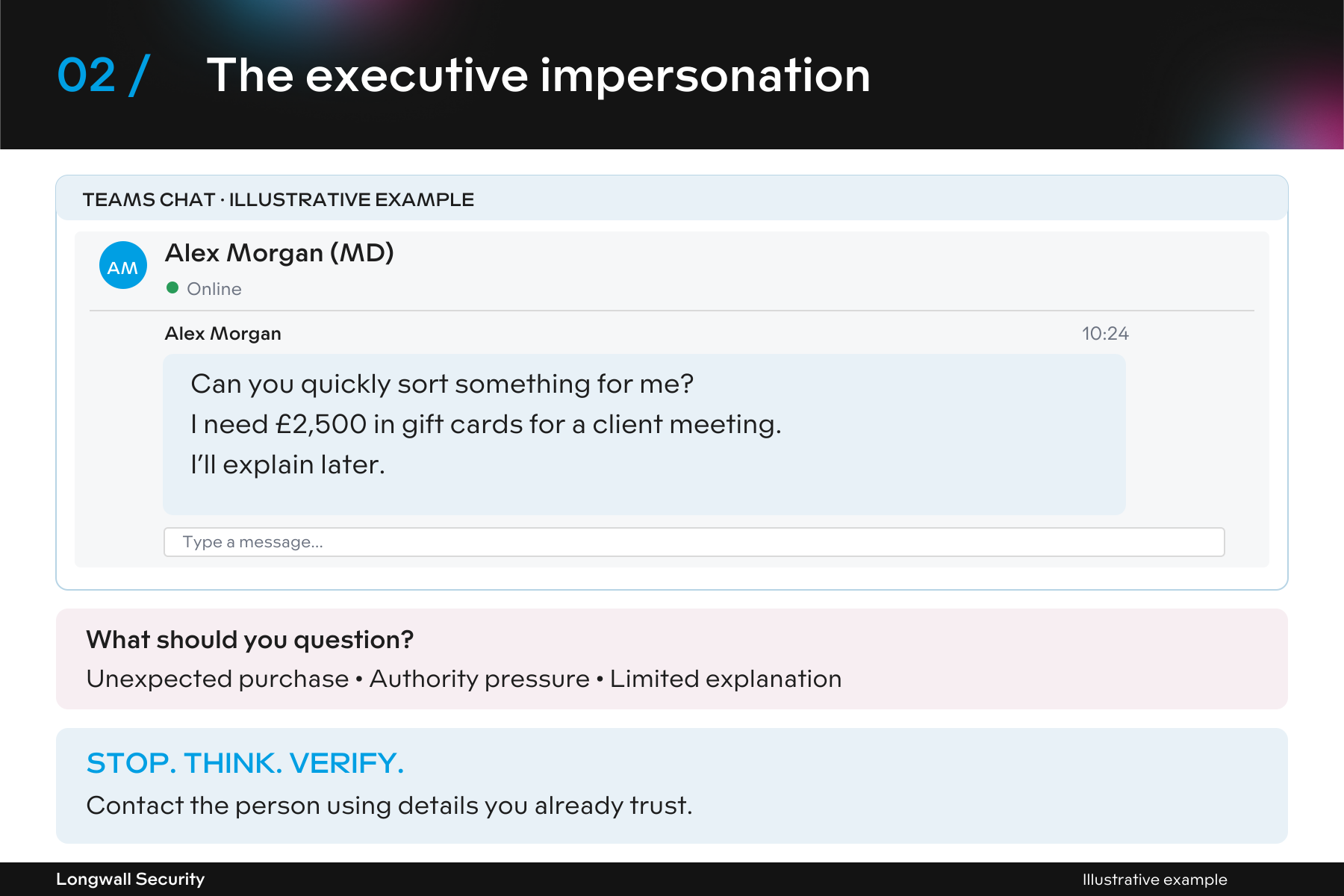
What to do: Contact the person using details you already trust. Check unusual requests directly and apply your normal purchase and information-sharing processes.
3. The supplier bank change
A routine-looking email asks you to update a supplier’s bank details just before an invoice is due. The invoice may be genuine; the new payment instructions may be fraudulent. The approaching deadline can make the change feel like a small administrative task. Without verification, a legitimate payment could go to a criminal’s account.
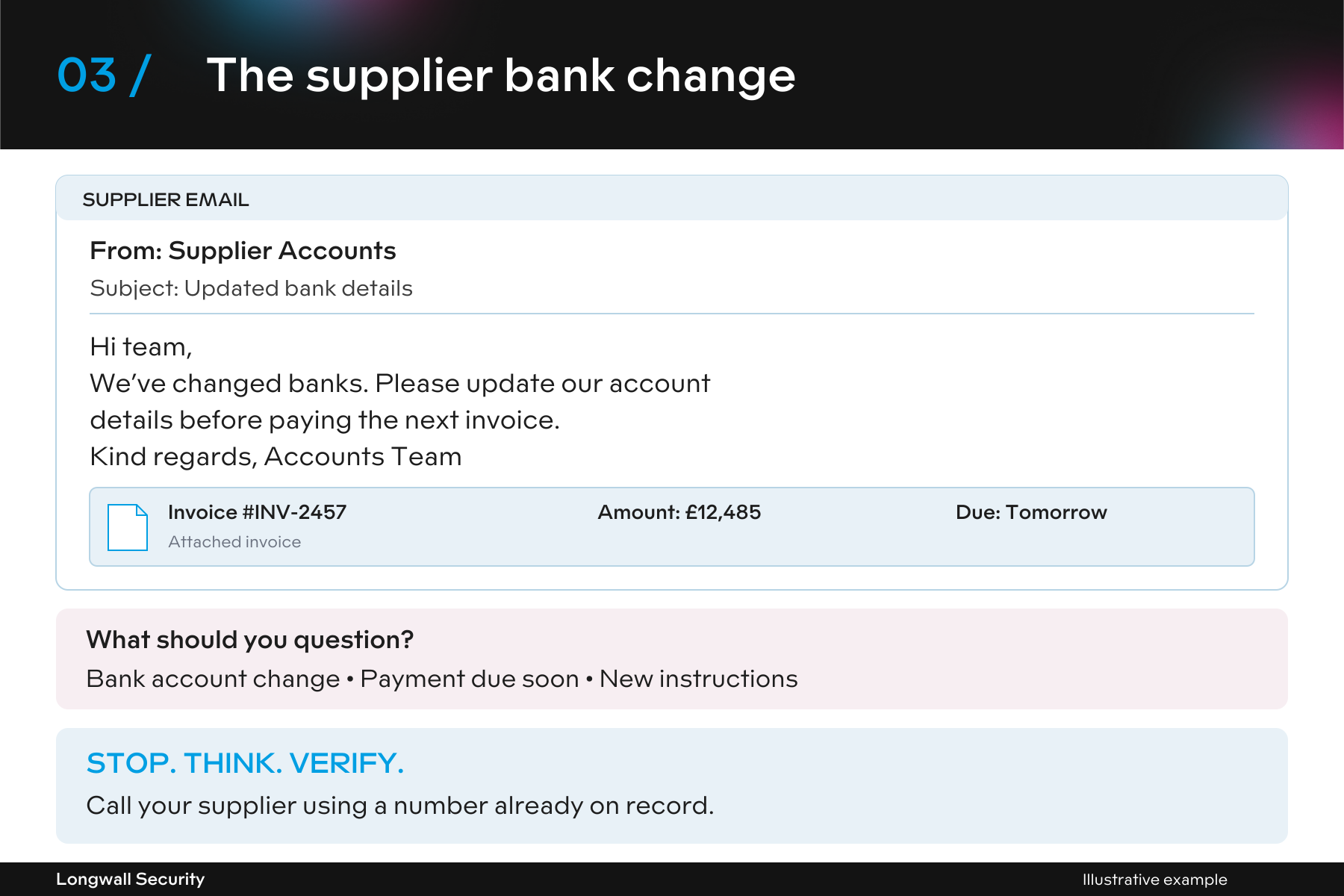
What to do: Verify bank-detail changes by calling your supplier on a number already held in your records. Follow your approval process before updating details or making a payment.
4. The fake login page
An unexpected message claims your password is about to expire or a document needs your attention. Its link takes you to a convincing imitation of a familiar service, designed to capture your login details.The page may look authentic. Check the web address and question sign-in requests you were not expecting.
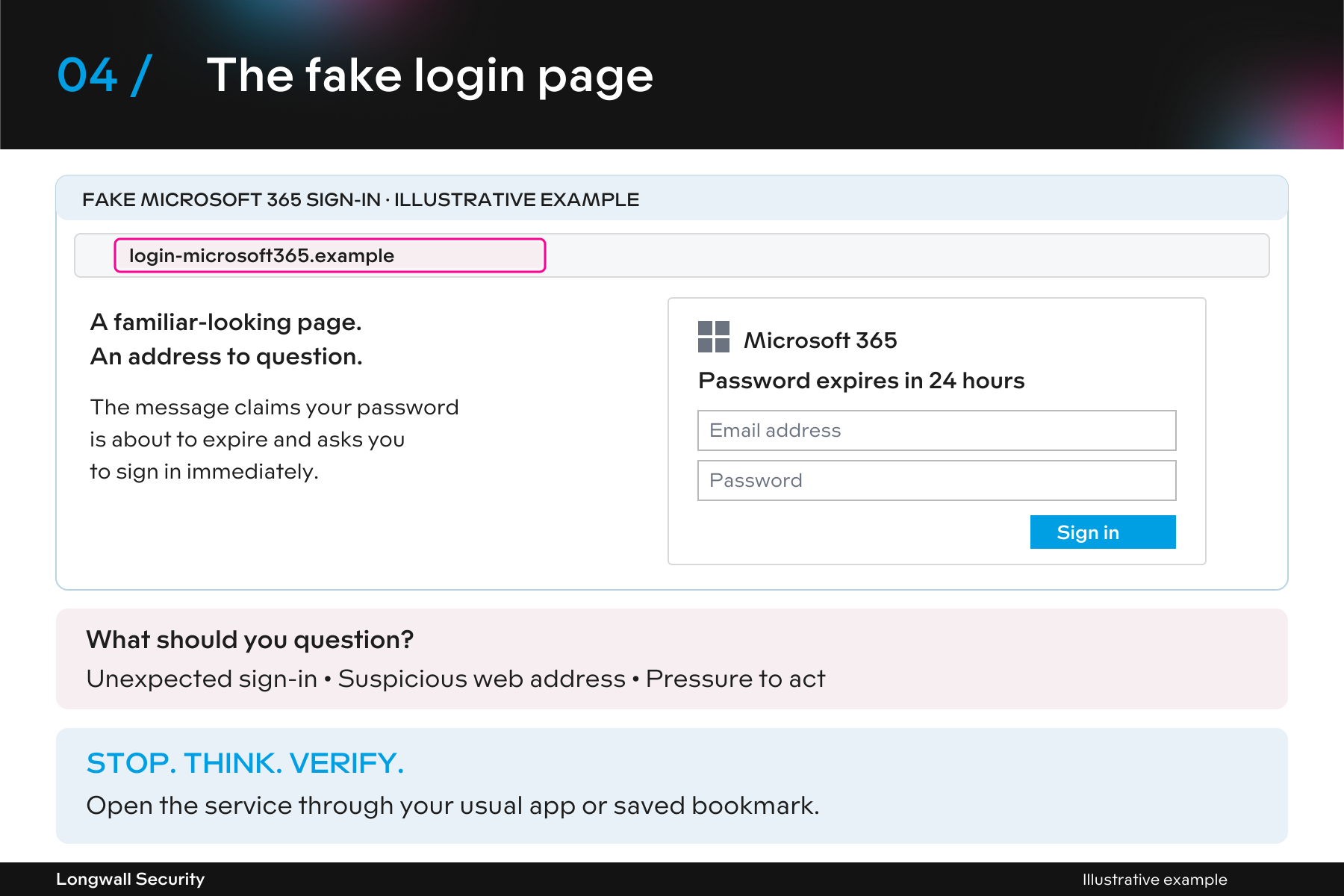
What to do: Open the service through your usual app or saved bookmark. If an access or password notification seems unusual, check with your IT contact.
5. The hijacked conversation
An attacker with access to a genuine mailbox can misuse existing conversations, adding a new attachment, link or payment request to a thread you already recognise. The sender’s address and earlier messages may be genuine. A sudden change in behaviour or an unexpected request still needs checking.
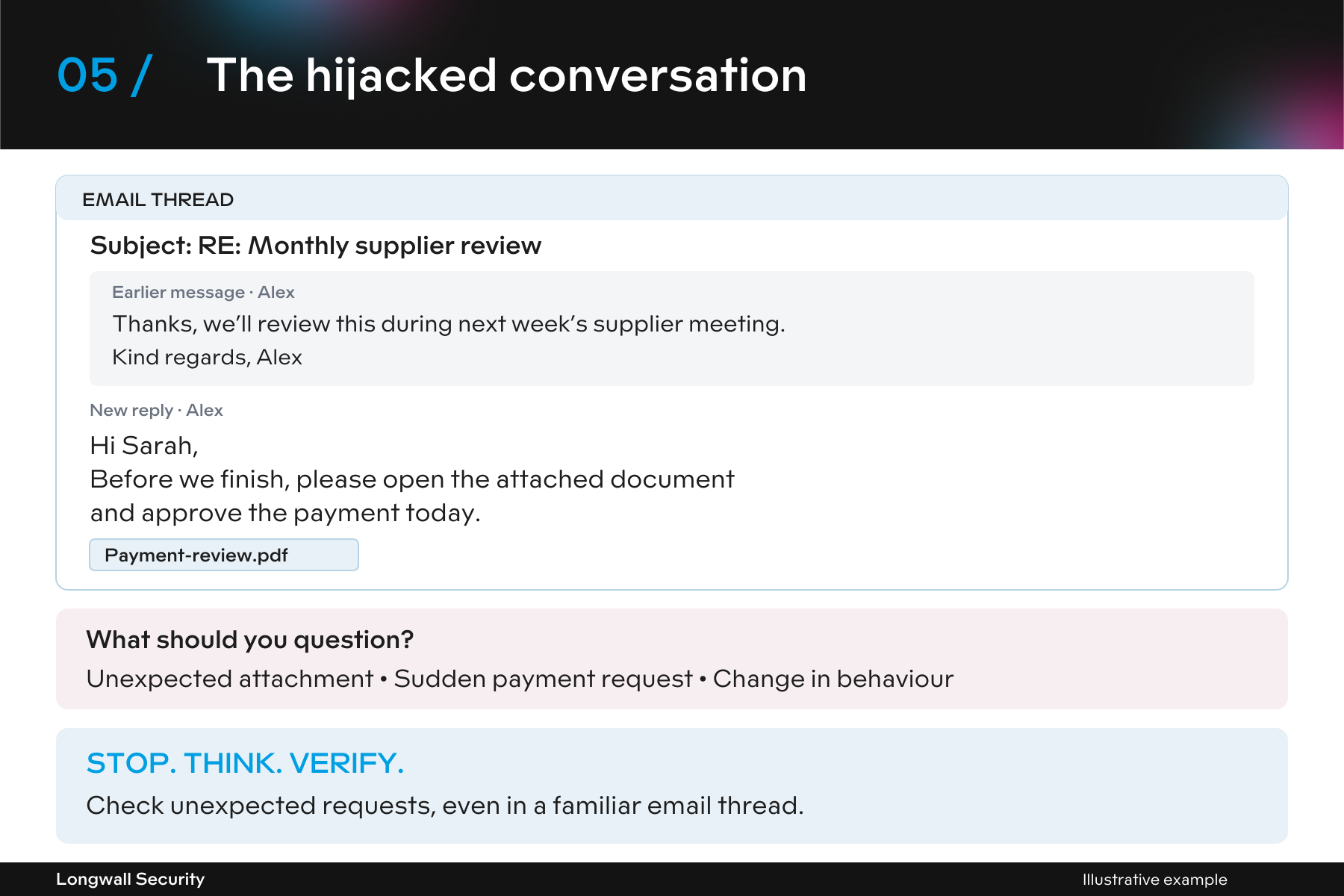
What to do: Verify unexpected requests through a separate, trusted channel. A familiar email thread should not replace your usual checks.
Stop. Think. Verify.
When a request involves money, login details or sensitive information, a short pause can make a difference.
Stop: Pause before acting on unexpected pressure.
Think: Does the request fit what you were expecting and your normal working practices?
Verify: Confirm it through a separate channel using contact details you already trust.
Report: Raise anything suspicious through your organisation’s reporting route.
These warning signs help you question a request; they cannot prove that a message is safe. Awareness works best alongside clear processes and effective technical protection.
Already clicked a suspicious link, entered your password, shared information, or approved a payment?
Follow your organisation's incident reporting procedure immediately. Prompt reporting gives your IT, security and business teams the best opportunity to investigate, contain the issue and minimise any potential impact.
You do not need to be certain that something is malicious before reporting it.
